Allcamera
Language: English
Download on the App Store

Allcamera: Dual Camera Capture

One take.
Up to 3 cameras.

Take photos and record video with front and back cameras at the same time. Frame each view vertically or horizontally. Save separate files or picture in picture.

Download on the App Store

Free download · Photos are free
iPhone & iPad · iOS 18+
Camera groups depend on your device

IllustrationSample images. The camera groups you can use depend on your device.

Build a take.

Pick up to three cameras, set each one vertical or horizontal, choose how to save, then press the shutter. The files you would keep appear on the right.

Scene
Cameras
Framing
ABack 1×
BFront
CTele
Save as
ABack 1×

What you keep

Preview
  1. ACAMERA-ABack 1× · Portrait 9:16Video
  2. BCAMERA-BFront · Portrait 9:16Video
  3. CCAMERA-CTele · Landscape 16:9Video

Moving the small views changes your screen only, not separate files.

IllustrationInteractive, with sample images. In the app, only the camera groups and formats your device supports appear.

Vertical and horizontal.
Same take.

Set one camera to Portrait and another to Landscape. They start and stop together, so a 9:16 file and a 16:9 file come from the same moment.

  • Each camera keeps one framing for the whole take. Two shapes need two cameras.
  • Auto follows the device before recording. Each camera’s framing stays fixed during the take.
  • Allcamera saves the files. Editing and uploading stay in your hands.
How to shoot vertical and horizontal at once
00:00:04:00

B1× · Portrait 9:16

for Shorts and TikTok

00:00:04:00

A0.5× · Landscape 16:9

for YouTube

IllustrationSample images

Keep them apart.
Or put them together.

IllustrationMotion graphic made from sample images · silent · not camera footage

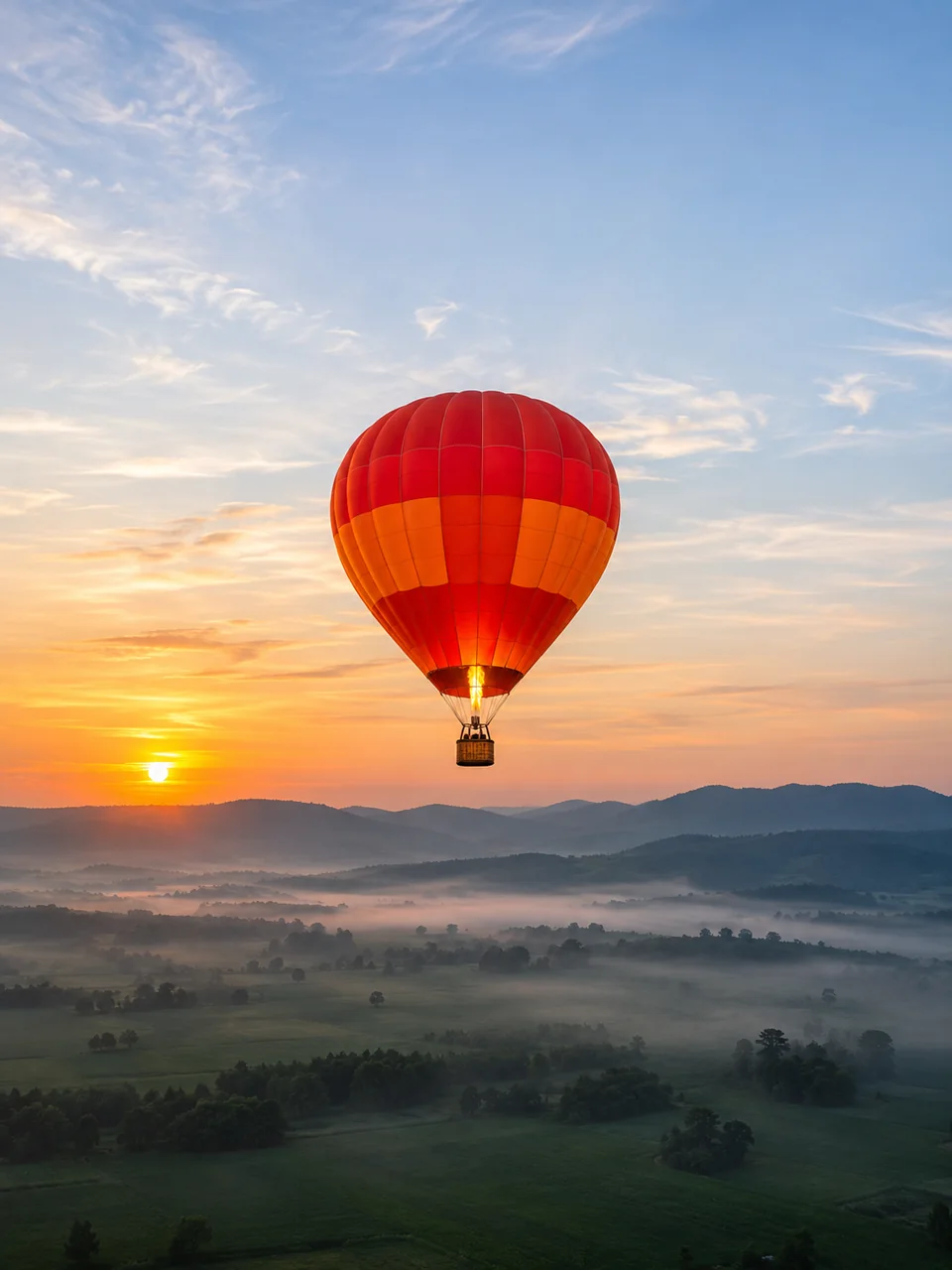
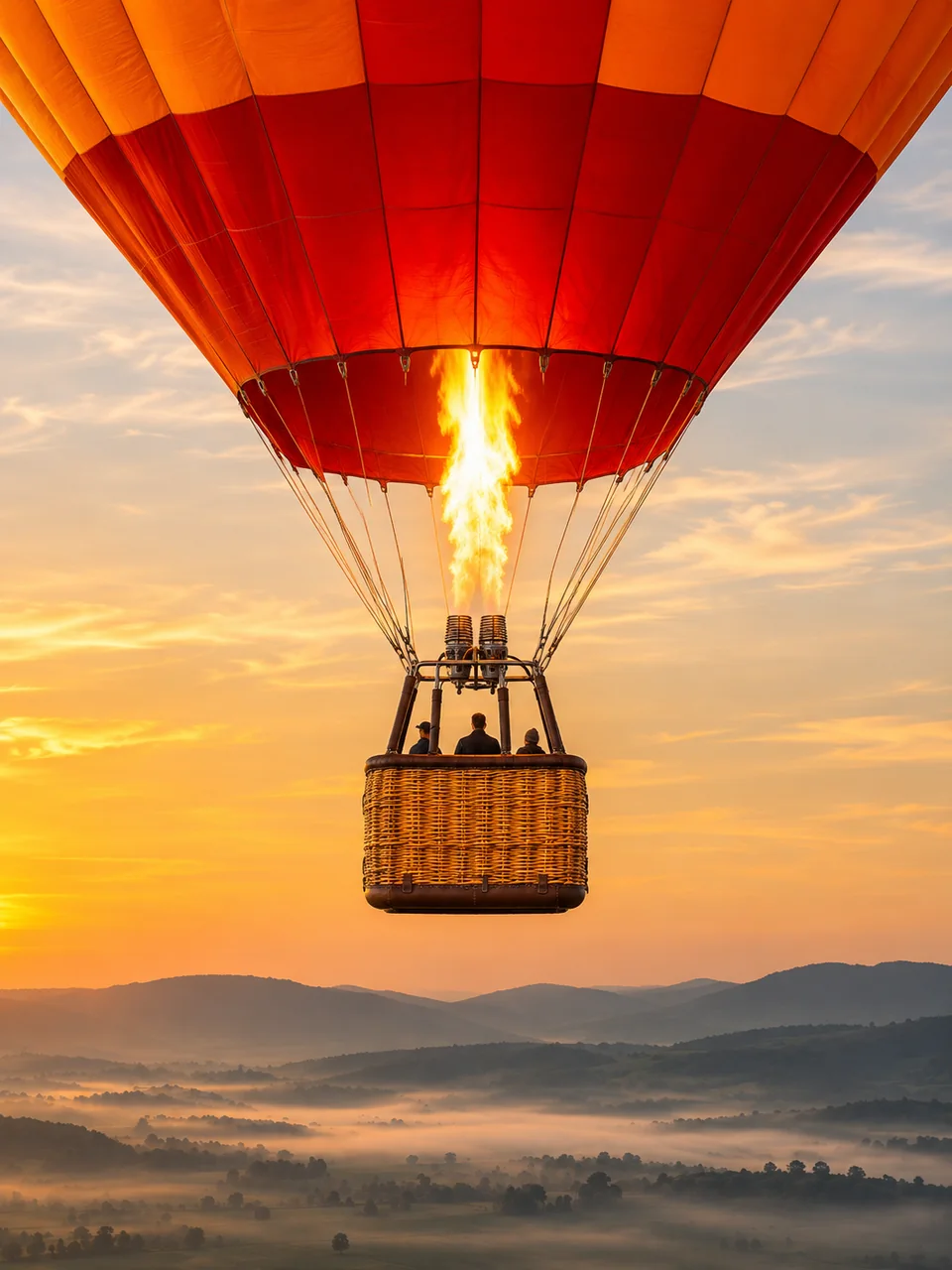
A silent, 12-second motion illustration made from sample photos of a hot-air balloon over misty hills. Camera A, a wide landscape 16:9 view, and camera B, a closer portrait 9:16 view, sit side by side as two separate files while their progress bars fill together. They then combine into one picture-in-picture frame: A fills it, and B becomes a small portrait inset in the lower-right corner.

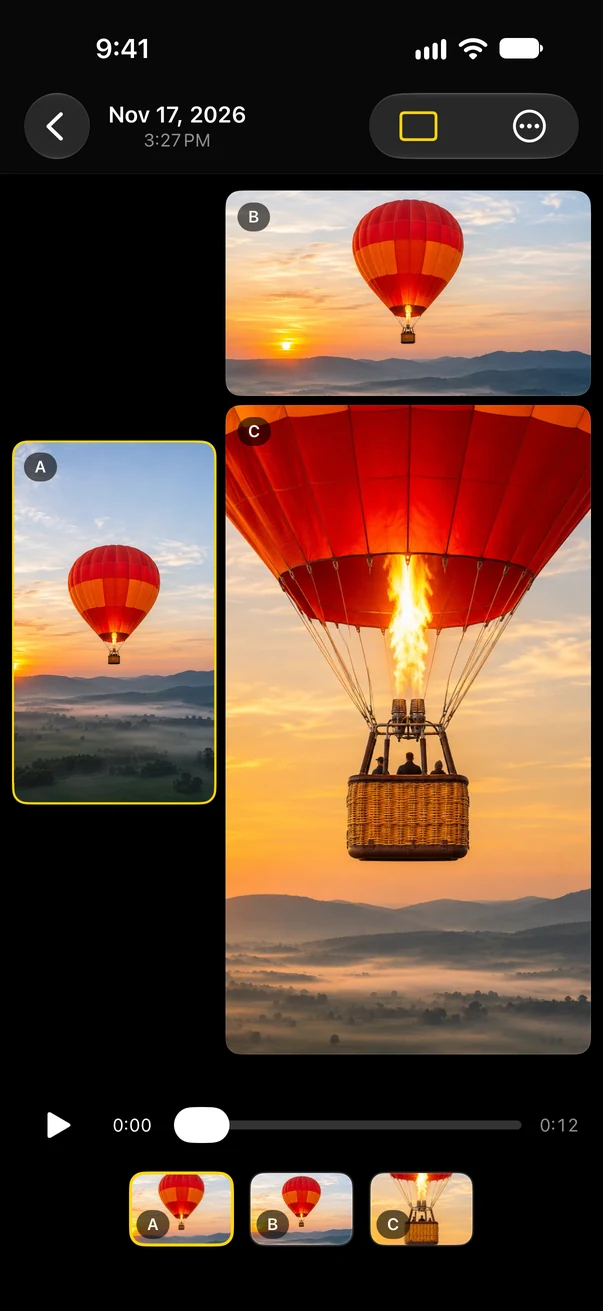
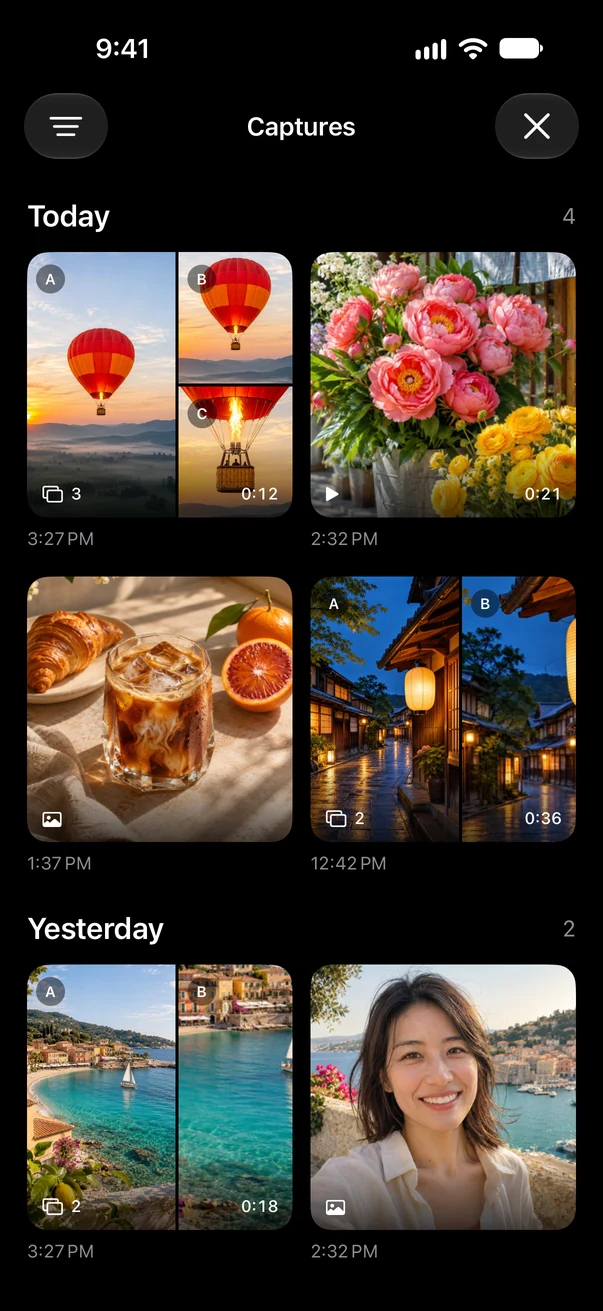
Allcamera’s gallery comparing synchronized original videos from cameras A, B and C side by side.

Separate files

One synchronized original per camera, each with its own framing and quality. Ready for the editor you already use.

  • Labelled A, B and C, grouped as one take
  • Compare views side by side in the gallery
  • Make a picture-in-picture movie later from compatible originals
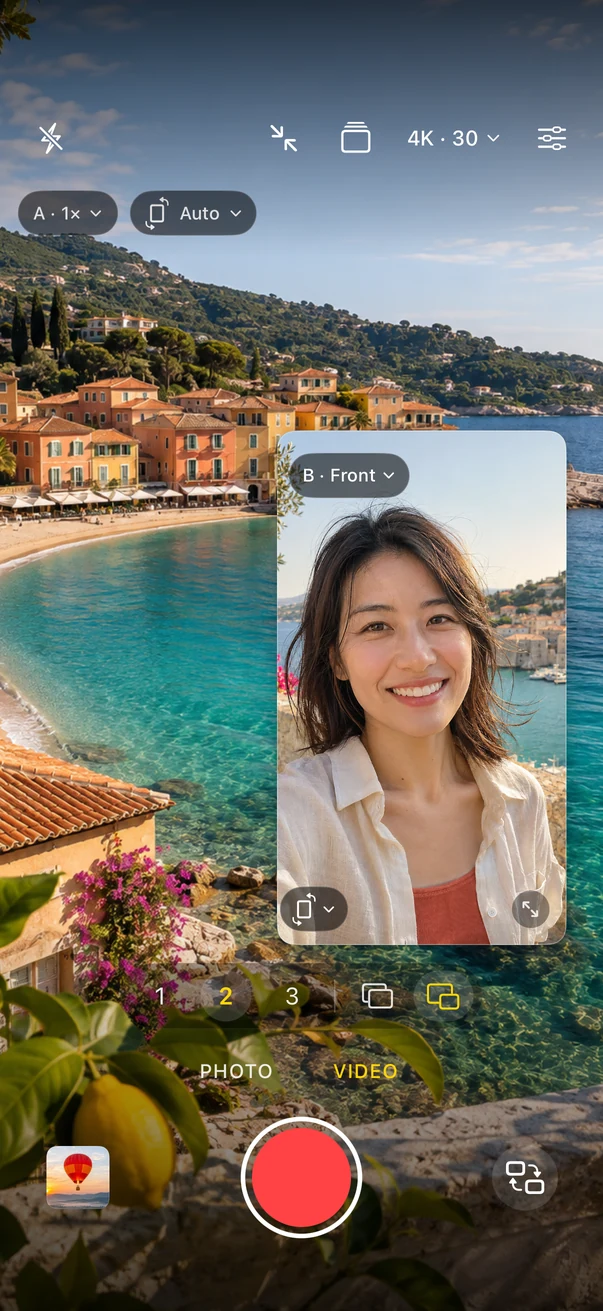
Allcamera’s camera screen in Video mode with a large rear view of a coastline and a movable front-camera inset.

Picture in picture

One photo or video with every selected camera. Drag and resize the smaller views; the saved file follows your layout.

  • Every selected camera is included
  • Camera A sets the canvas and its shape
  • Ready to share as it is

Actual app screenSample images in the camera previews

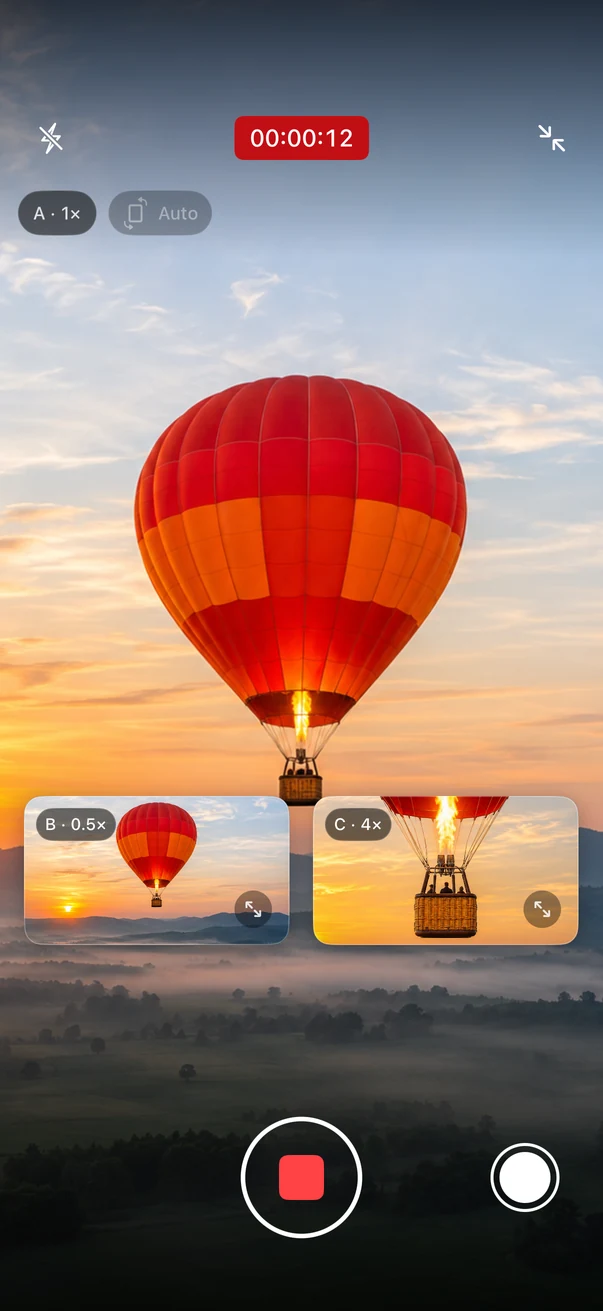
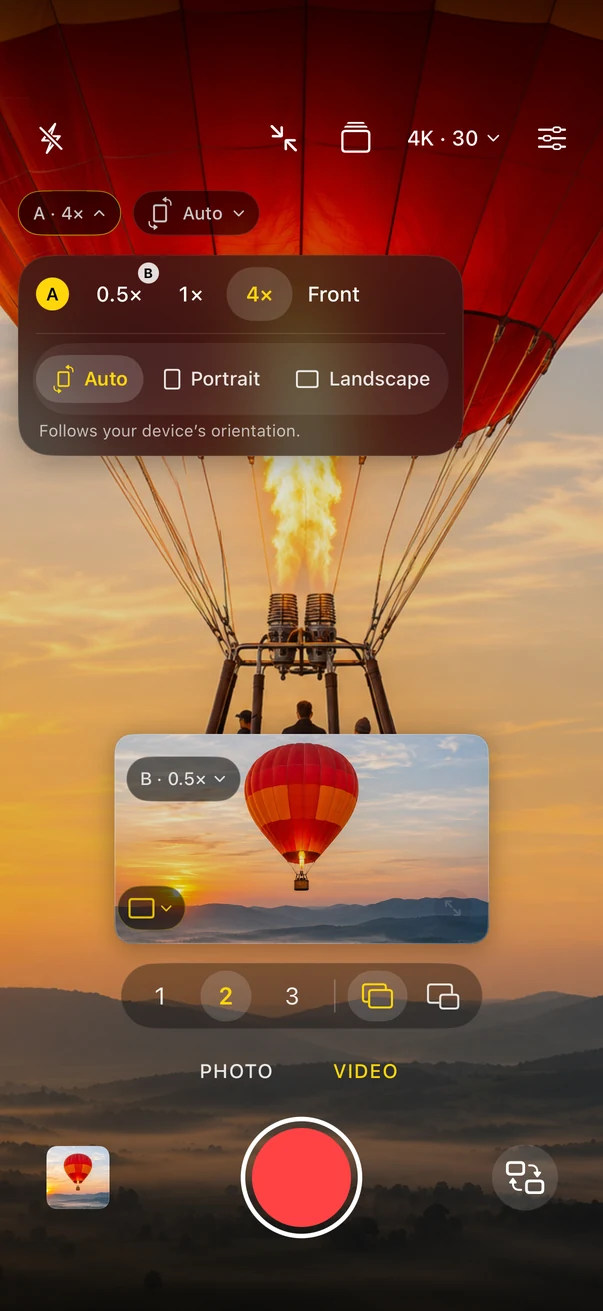
Allcamera recording with three cameras: a large hot-air balloon view with two smaller movable views labelled B and C. Allcamera’s lens card for camera A showing 0.5×, 1×, 4× and Front, with Auto, Portrait and Landscape framing.

Every view.
Its own controls.

  1. 01

    Lens

    Tap a view’s lens badge to choose 0.5×, 1×, telephoto or Front, as your device offers them. Choosing a lens another view uses swaps the two.

  2. 02

    Framing

    Auto, Portrait or Landscape, set separately for each camera. Works for photos and video, separate files and picture in picture.

  3. 03

    Focus

    Tap a view to focus and meter there. Touch and hold to lock focus and exposure.

  4. 04

    Exposure

    Drag the sun up or down on any view. Each camera keeps its own brightness, even while recording.

  5. 05

    Presets

    Built-in layouts such as Front & Back appear when your device can run those cameras. Premium saves your own.

  6. 06

    One shutter

    Every selected camera starts and stops together. Where available, take stills from all selected cameras while recording.

Actual app screenSample images in the camera previews

Your device sets the limits.
You see them first.

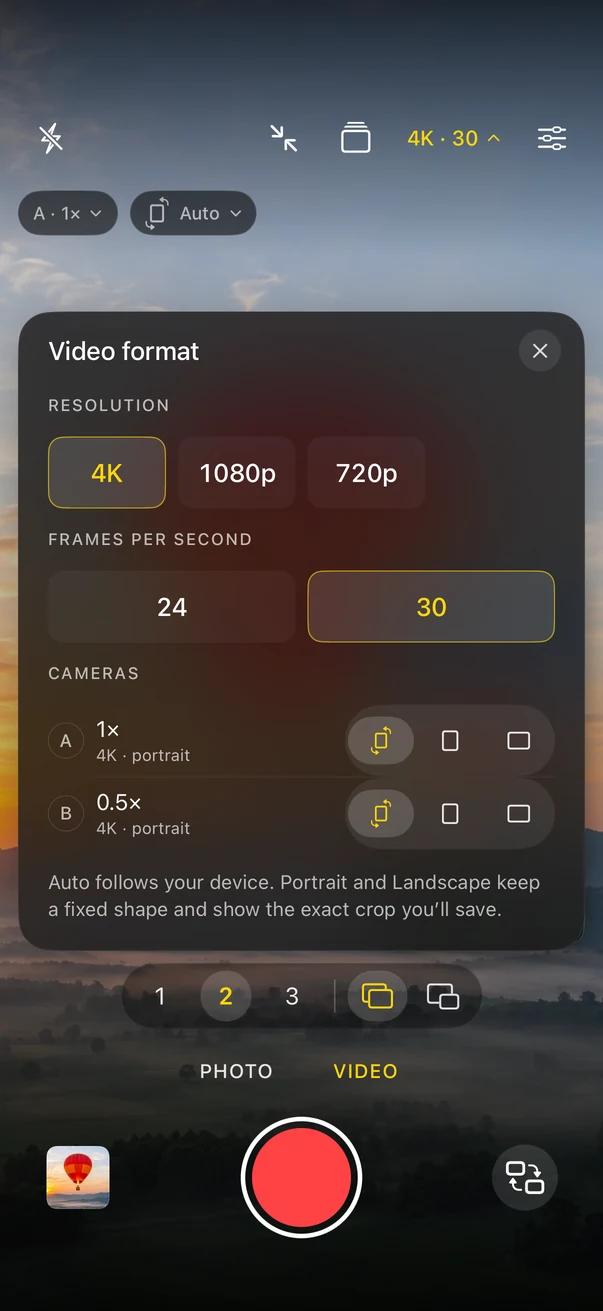
Cameras running together share one hardware budget, and iOS allows only certain formats in multi-camera capture. A lens that records 4K at 60 fps on its own may record less alongside others. Allcamera reads what your device reports and shows each camera’s actual size and frame rate before you record.

Diagram, not to scale. Actual limits vary with the device, iOS version, lenses and temperature.

Allcamera’s video format panel listing resolution, frame rate and each camera’s actual size and framing.

Check yours, free

  1. Install Allcamera. No purchase is needed to look around.
  2. Choose Video, then 1, 2 or 3. Only the counts your device can run appear.
  3. Tap the size and frame rate at the top. The panel lists every camera’s actual size.
  4. Decide on Premium once you have seen what your device offers.

Premium unlocks recording. It never raises what your hardware supports.

Which cameras can record together, and at what quality

Actual app screenSample images in the camera previews

Photos free.
Video, once.

Free

$0

  • Photos with one camera or a supported group of up to three
  • Separate photos or one picture-in-picture photo, framed per camera
  • Standard size, about 12 MP or lower depending on the camera
  • Built-in presets, saved-preset recall and the private gallery
  • Explore Video setups and supported quality before buying

Allcamera Premium

$9.99once

  • Video with one, two or three cameras, where supported
  • Record at the resolution and frame rate your selected cameras support
  • Larger photo sizes your cameras report
  • Save and update your own presets, and optionally reopen your last setup

US price. Your App Store price appears before purchase. No subscription and no renewals. Restore Purchases with the same Apple Account. Existing captures and saved presets stay accessible if Premium access changes.

For on-device capture: livestreaming, external cameras, automatic editing, ProRes/Log and pausing or splitting a take are not included.

Guides

  1. 01How to record with the front and back cameras at the same time on iPhoneRecord your face and the view in one take on iPhone or iPad. Check device support, pair Front with a rear lens, frame each camera and choose how to save.
  2. 02How to shoot vertical and horizontal video in one take on iPhoneGet a 9:16 file and a 16:9 file from the same moment by giving two iPhone cameras different framing. Steps, the crop to watch for, and what YouTube treats as a Short.
  3. 03Separate files or picture in picture? How to save a multi-camera takeWhen to keep one synchronized original per camera and when to save a single picture-in-picture photo or video, with the quality trade-offs and how to switch in Allcamera.
  4. 04Which iPhone cameras can record together, and at what quality?Why recording several iPhone cameras at once lowers resolution or frame rate, what iOS decides, results from one test iPhone, and how to check yours free.

Questions, answered.

Can I record the front and back cameras at the same time?

Yes, on devices that support multi-camera capture. Choose 2 above the shutter, set one view to Front and the other to a rear lens, then record. Both cameras start and stop together.

Does every iPhone support three cameras?

No. Allcamera discovers the camera combinations and formats your device can run. Lens count, photo sizes, video resolution and frame rate vary with the device, iOS version and active camera group. Paying does not change hardware support.

Can I get vertical and horizontal video from one take?

Yes, with two cameras. Set one to Portrait and another to Landscape. Each camera has one framing per take, and Allcamera does not edit or upload for you.

Is Premium a subscription?

No. Premium is a one-time lifetime purchase: USD 9.99 in the US, with your local price shown before purchase. Use Restore Purchases with the same Apple Account after reinstalling or on another compatible device.

Where are my photos and videos saved?

In Allcamera’s private gallery on your device. They are not automatically copied to Photos or uploaded to our servers. You control sharing and export. Your device’s backup settings can include app data.

Is there a recording time limit?

If a setup shows a one-minute recording limit, it also applies with Premium. All selected cameras stop and save together at the limit. Other setups have no app-imposed time limit.

What do I need?

An iPhone or iPad with iOS or iPadOS 18 or later. Multiple-camera choices appear only when the device supports them.


Press once.

Download on the App Store

Free to download. Photos are free; video is one purchase, once.